packaging planning question
How should bottle count and arrangement be chosen for a multipack?
Choose multipack configuration from channel demand, pack stability, manual handling, pallet efficiency and packer capability. Every arrangement must be defined by bottle orientation, grouping, material and accepted finished-pack performance.
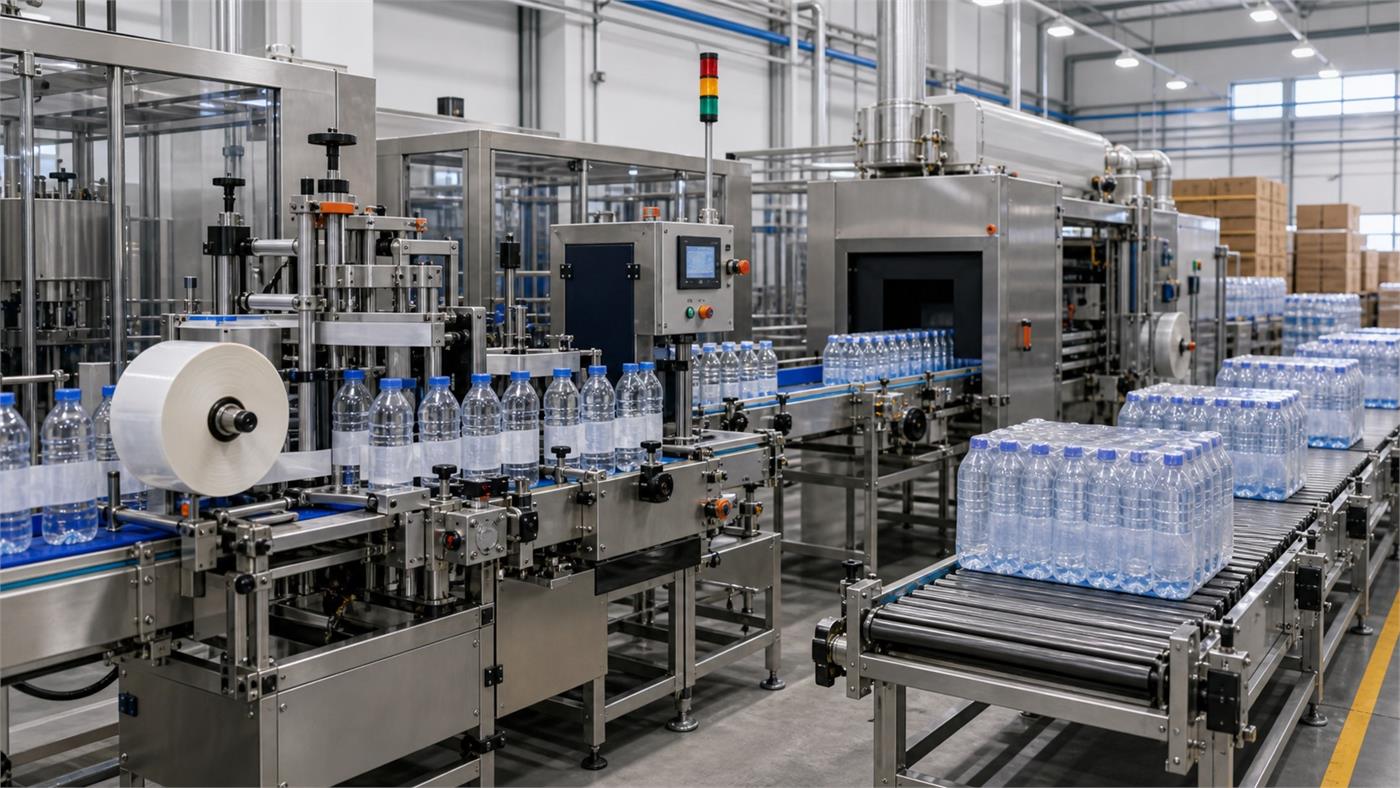
Water Bottle Multipack Configuration
Choose multipack configuration from channel demand, pack stability, manual handling, pallet efficiency and packer capability. Every arrangement must be defined by bottle orientation, grouping, material and accepted finished-pack performance. Use the checklist below to turn the question into a supplier-ready decision without relying on universal figures or unverified claims.
- Bottle dimensions
- Desired counts
- Sales channel
- Pallet standard
Decisions Behind Water Bottle Multipack Configuration
Define these items against the real product, package, site and production plan before comparing equipment or supplier proposals.
Channel demand
Confirm the pack customers will buy and handle
Pack geometry
Define rows, columns and orientation
Machine capability
Check grouping and changeover
Pallet fit
Connect pack dimensions to pallet pattern
Water Bottle Multipack Configuration Supplier Evidence Matrix
Use the matrix to separate buyer inputs, supplier commitments and evidence that can be checked during design review, FAT, installation or operation.
| Decision | What to define | Evidence to request |
|---|---|---|
| Channel demand | Confirm the pack customers will buy and handle | Pack drawing and sample |
| Pack geometry | Define rows, columns and orientation | Packer format matrix |
| Machine capability | Check grouping and changeover | Handling and transport test |
| Pallet fit | Connect pack dimensions to pallet pattern | Pallet pattern approval |
Project Inputs for Water Bottle Multipack Configuration
Incomplete inputs force suppliers to make assumptions. Mark unknown items openly and assign the next action instead of hiding the gap.
Bottle dimensions
Provide current, project-specific information for water bottle multipack configuration so the supplier can state assumptions and remaining decisions.
Desired counts
Provide current, project-specific information for water bottle multipack configuration so the supplier can state assumptions and remaining decisions.
Sales channel
Provide current, project-specific information for water bottle multipack configuration so the supplier can state assumptions and remaining decisions.
Pallet standard
Provide current, project-specific information for water bottle multipack configuration so the supplier can state assumptions and remaining decisions.
FAQ
How should bottle count and arrangement be chosen for a multipack?
Choose multipack configuration from channel demand, pack stability, manual handling, pallet efficiency and packer capability. Every arrangement must be defined by bottle orientation, grouping, material and accepted finished-pack performance.
Which inputs are needed for water bottle multipack configuration?
Start with Bottle dimensions, Desired counts, Sales channel, Pallet standard. The selected supplier and qualified local specialists must confirm the final project basis.
What evidence should a supplier provide for water bottle multipack configuration?
Request Pack drawing and sample, Packer format matrix, Handling and transport test, Pallet pattern approval. Compare evidence against the same approved product, package, capacity and site conditions.
What is a common mistake when planning water bottle multipack configuration?
A common mistake is accepting a generic answer without defining the actual bottle, product, output, utilities, interfaces and acceptance method for the project.
How does water bottle multipack configuration connect to a complete water bottling line?
It affects adjacent equipment, controls, utilities, layout, quality checks or operating responsibilities. Record those interfaces in the complete-line scope and responsibility matrix.
Find a specific operating problem
Planning calculator: Bottle-to-pack throughput
Enter measured or explicitly assumed values. Keep the units and measurement boundary consistent. Compare a second scenario before choosing equipment.
Equation and scope
A ÷ B ÷ 60
- A: Bottle rate [Bottles/h]
- B: Bottles per pack [Quantity]
⌈x⌉ rounds upward and ⌊x⌋ downward to a whole count. min/max select the lowest/highest sample. ∉ means outside the stated interval.
Convert bottle flow into required packs per minute for the selected bottle count. Compare every pack format with the packer and downstream machines. Feed interruptions, material replenishment and rejects reduce sustainable line output.
Worked example: editable assumptions
Record assumptions separately from measurements. The example numbers demonstrate arithmetic and are not a recommended equipment specification.
| Input or result | Value | Unit |
|---|---|---|
| A — Bottle rate | 6000 | Bottles/h |
| B — Bottles per pack | 12 | Quantity |
| Pack rate | 8.3333333 | Packs/min |
Your project inputs
Calculated result
| Input or result | Value | Unit |
|---|---|---|
| Pack rate | 8.3333333 | Packs/min |
This is a planning estimate from the stated inputs, not a machine guarantee or design approval.
Calculation stays in this browser; this worksheet sends no project inputs to the server.
Before procurement, ask the responsible specialist to review the assumptions, drawings and test evidence. A valid calculation does not mean a project has passed acceptance.
Why does a smaller bottle count per pack increase required pack rate?
These are invented teaching inputs, not equipment ratings, market prices or an accepted tolerance. The two scenarios change one assumption while holding the other inputs constant. Use the comparison to identify what must be measured or agreed for your project.
Read both inputs and outputs in the stated units. The input register explains what evidence to request before substituting your own values. If a source is missing, record the uncertainty rather than silently entering zero or accepting a supplier estimate as a measurement.
Changed assumption: Bottles per pack
Input assumptions
| Record item | Unit | Scenario A | Scenario B |
|---|---|---|---|
| Bottle rate | Bottles/h | 7,200 | 7,200 |
| Bottles per pack | Quantity | 12 | 6 |
Calculated comparison
| Record item | Unit | Scenario A | Scenario B |
|---|---|---|---|
| Pack rate | Packs/min | 10 | 20 |
What the comparison means
Bottle flow remains unchanged while the pack format contains fewer bottles. More packs per minute are needed to handle the same incoming bottles. A line specification stated only in bottles per hour can miss this downstream requirement. Material replenishment, rejects and changeovers must still be tested for the selected format.
How to establish this input
| Record item | How to establish this input |
|---|---|
| Bottle rate | Record the quantity or distance and the corresponding observation time, named product format and operating mode. Distinguish a measured rate from a quoted capability; an average across a different window is not the same input. |
| Bottles per pack | Keep the physical count or usable-stock record for the stated configuration and time. Identify incomplete, blocked, rejected or unavailable stock separately. A total installed capacity is not automatically the quantity available in the comparison. |
Evidence to request
Ask for an agreed bottle-to-pack conversion, accepted pack output, film or carton supply condition and downstream handling trial for every proposed pack format.
Project decision record
| Record item | Project decision record |
|---|---|
| Input assumptions | Identify the bottle, pack or material configuration, operating mode and measurement boundary. State the start and finish of the observation and which accepted output the comparison represents; unlike boundaries cannot establish a performance improvement. |
| How to establish this input | Mark every input as measured, taken from a drawing, quoted or assumed. Retain the source document identifier, revision, date and responsible person. The same numeral with a different unit or data status is not automatically a comparable input. |
| Project decision record | Ask the responsible supplier and buyer to agree actual acceptance criteria and the evidence that will demonstrate them. Teaching values and calculated outputs on this page do not become approved operating settings or contractual performance guarantees. |
| Evidence to request | Record the decision affected by the result, the measurement or trial still needed, its owner and the next review. Keep unresolved items visible in the handover file instead of changing the figures to make a preferred equipment option appear acceptable. |
Why does a larger pack reduce packs per minute without increasing bottle output?
Bottle rate is divided by bottles per pack. A lower pack count per minute can therefore represent the same bottle throughput in a larger format. Compare packer and downstream demand for each actual format, including feeding and replenishment, rather than interpreting a smaller pack rate as a loss by itself.
Which inputs should you verify before using this result?
These are hypothetical sensitivity examples, not measurements from a factory. The lower and higher inputs are chosen for teaching; they are not equipment limits, approved settings, uncertainty intervals or recommended allowances. Whole-count and bounded inputs are adjusted to keep the examples valid, so the changes are not all the same percentage.
Read one input row at a time. For its lower and higher result, only that named input changes; every other input remains at the baseline shown in the first table. Do not combine all the lower columns or all the higher columns into a single operating scenario: those combined conditions have not been calculated here.
Baseline and selected input changes
| Input being changed | Unit | Lower input | Baseline input | Higher input |
|---|---|---|---|---|
| Bottle rate | Bottles/h | 5,760 | 7,200 | 8,640 |
| Bottles per pack | Quantity | 9 | 12 | 15 |
Output when one input changes
| Input being changed | Calculated output | Lower input | Baseline input | Higher input |
|---|---|---|---|---|
| Bottle rate | Pack rate (Packs/min) | 8 | 10 | 12 |
| Bottles per pack | Pack rate (Packs/min) | 13.3333 | 10 | 8 |
Interpret this problem
A one-input comparison isolates the arithmetic effect inside this model. It does not establish that the input can change independently on a real line. If two quantities share the same measurement, production period or physical constraint, ask the responsible supplier to review that relationship before changing the project basis.
Equal displayed results need interpretation. Whole-item outputs can remain unchanged until a rounding boundary is crossed; displayed decimal values can also hide a small change. Check the stated unit, the underlying counts and the specific explanation below before concluding that an input has no effect.
What to verify next
Use a surprising difference to choose the next measurement, rather than selecting whichever assumption gives the preferred answer. Record the input label and unit, its measured or assumed status, document revision, operating condition and who will verify it. Keep the original record so a later reader can reproduce the comparison.
For a supplier discussion, take the baseline, one changed input, the affected output and the unresolved question together. Agree the field observation or controlled trial that can resolve it and record the responsible person. A mathematical change does not by itself approve equipment capacity, quality acceptance, installation or a purchase decision.
Where do the inputs come from, and which result do they change?
Mark each project value as measured, quoted, taken from a drawing, assumed or awaiting confirmation. Early estimates can use stated assumptions; a missing value is not zero. The calculator defaults are illustrative, not evidence about your plant.
| Input or result / Unit | Evidence to request | Substitution to avoid |
|---|---|---|
| Bottle rate (Bottles/h) | Identify the counted bottle boundary and the exact observation interval. Retain opening and closing counter readings, accepted quantity and operating mode so the hourly rate can be reproduced. | A machine nameplate rate, instantaneous display and accepted output over a shift are different records. Do not substitute one for another without stating the change of basis. |
| Bottles per pack (Quantity) | Confirm the number of bottles in one completed pack for the exact format being evaluated. Retain the pack specification and treatment of incomplete packs. | A tray count, carton count and bottle count are different units. A format change must be reflected consistently in throughput, mass and warehouse calculations. |
Input-to-result trace
The links below trace each input to the equations that use it. They describe mathematical dependence, not every shared input-validation rule. Retain the source, revision, operating condition and person responsible for each value before comparing offers.
Bottle rate (Bottles/h) → Pack rate (Packs/min)
Bottles per pack (Quantity) → Pack rate (Packs/min)
Equations and unit basis
Use the numerical input values in the units shown here. Conversion factors belong to these units. Compare the equation with the calculator result and the example before transferring it to another unit system.
Pack rate (Packs/min)
Pack rate (Packs/min) = ((Bottle rate ÷ Bottles per pack) ÷ 60)
Inputs used in this result: Bottles per pack (Quantity); Bottle rate (Bottles/h).
ceil rounds up to a whole count; floor rounds down. min and max select the smallest and largest values. I(P) is 1 when condition P is true, otherwise 0; ∨ means “or”. π is the circle constant. Semicolons separate function arguments.
These relations explain the planning model. A mathematical result does not set acceptance limits, approve a machine setting or establish legal filling tolerances. Keep project approval and evidence separate from arithmetic.
Bottle rate + Bottles per pack: What happens when two planning inputs change together?
Compare four explicitly hypothetical combinations. Only the two named inputs vary; every other input remains fixed. These examples complete the corner cases around the single-input comparisons above. They are teaching assumptions, not measured plant data, recommended settings, approved limits or probability ranges.
Read A as lower/lower, B as lower/higher, C as higher/lower and D as higher/higher, in the displayed input order. A is the comparison origin, not the original project baseline. The two factors are varied independently for this calculation; that does not prove every combination is physically feasible.
A numerator increase and denominator increase can partly offset each other. Compare all four combinations rather than inferring the result from two equal percentages.
Calculated results across the four cases
| Calculated result | A | B | C | D |
|---|---|---|---|---|
| Pack rate (Packs/min) | 10.666667 | 6.4 | 16 | 9.6 |
Separate and combined changes from A
| Calculated result | Input or result | Calculated value |
|---|---|---|
| Pack rate (Packs/min) | First input alone: C − A | 5.333333 |
| Pack rate (Packs/min) | Second input alone: B − A | -4.266667 |
| Pack rate (Packs/min) | Both inputs: D − A | -1.066667 |
| Pack rate (Packs/min) | Sum of the two separate changes | 1.066667 |
| Pack rate (Packs/min) | Combined change minus that sum | -2.133333 |
The last difference is D − C − B + A, in the output unit. Zero means the four computed values are additive at these selected points; it does not prove independence in a real line. A nonzero difference can follow from multiplication, division or whole-count rounding. It is not a measured machine interaction or a statistical confidence interval.
Hypothetical combination A: Bottle rate = 5760 Bottles/h; Bottles per pack = 9 Quantity
Complete inputs for reproducing this case
| Input or result | Calculated value | Unit |
|---|---|---|
| Bottle rate | 5760 | Bottles/h |
| Bottles per pack | 9 | Quantity |
Step-by-step substitution from the stated inputs
Intermediate values display up to six decimal places; calculations retain unrounded values. Reproduce operations from the original inputs. Intermediate numbers do not necessarily have the final result unit. π and whole-count functions follow the model reference. CSV numbers use a decimal point.
Pack rate (Packs/min)
| Input or result | Operation | Calculated value |
|---|---|---|
| 1 | (5760 ÷ 9) | 640 |
| 2 | (([Bottle rate: 5760 Bottles/h] ÷ [Bottles per pack: 9 Quantity]) ÷ 60) ((5760 ÷ 9) ÷ 60) | 10.666667 |
Hypothetical combination B: Bottle rate = 5760 Bottles/h; Bottles per pack = 15 Quantity
Complete inputs for reproducing this case
| Input or result | Calculated value | Unit |
|---|---|---|
| Bottle rate | 5760 | Bottles/h |
| Bottles per pack | 15 | Quantity |
Step-by-step substitution from the stated inputs
Intermediate values display up to six decimal places; calculations retain unrounded values. Reproduce operations from the original inputs. Intermediate numbers do not necessarily have the final result unit. π and whole-count functions follow the model reference. CSV numbers use a decimal point.
Pack rate (Packs/min)
| Input or result | Operation | Calculated value |
|---|---|---|
| 1 | (5760 ÷ 15) | 384 |
| 2 | (([Bottle rate: 5760 Bottles/h] ÷ [Bottles per pack: 15 Quantity]) ÷ 60) ((5760 ÷ 15) ÷ 60) | 6.4 |
Hypothetical combination C: Bottle rate = 8640 Bottles/h; Bottles per pack = 9 Quantity
Complete inputs for reproducing this case
| Input or result | Calculated value | Unit |
|---|---|---|
| Bottle rate | 8640 | Bottles/h |
| Bottles per pack | 9 | Quantity |
Step-by-step substitution from the stated inputs
Intermediate values display up to six decimal places; calculations retain unrounded values. Reproduce operations from the original inputs. Intermediate numbers do not necessarily have the final result unit. π and whole-count functions follow the model reference. CSV numbers use a decimal point.
Pack rate (Packs/min)
| Input or result | Operation | Calculated value |
|---|---|---|
| 1 | (8640 ÷ 9) | 960 |
| 2 | (([Bottle rate: 8640 Bottles/h] ÷ [Bottles per pack: 9 Quantity]) ÷ 60) ((8640 ÷ 9) ÷ 60) | 16 |
Hypothetical combination D: Bottle rate = 8640 Bottles/h; Bottles per pack = 15 Quantity
Complete inputs for reproducing this case
| Input or result | Calculated value | Unit |
|---|---|---|
| Bottle rate | 8640 | Bottles/h |
| Bottles per pack | 15 | Quantity |
Step-by-step substitution from the stated inputs
Intermediate values display up to six decimal places; calculations retain unrounded values. Reproduce operations from the original inputs. Intermediate numbers do not necessarily have the final result unit. π and whole-count functions follow the model reference. CSV numbers use a decimal point.
Pack rate (Packs/min)
| Input or result | Operation | Calculated value |
|---|---|---|
| 1 | (8640 ÷ 15) | 576 |
| 2 | (([Bottle rate: 8640 Bottles/h] ÷ [Bottles per pack: 15 Quantity]) ÷ 60) ((8640 ÷ 15) ÷ 60) | 9.6 |
Use a differing result to identify the joint operating condition that needs evidence. Ask the supplier to check the combination, fixed assumptions and relevant approval before changing equipment. These calculations do not establish acceptance, safe operating ranges or a guaranteed output.
Choose the next planning task
Compare bottle flow, pack demand and recorded stops in the same production window. Buffer counts alone cannot establish sustainable output.
Connect this task to the complete line plan
- Water Bottling Line Capacity Planner: Demand, Bottle Mix and Shifts
- Complete Water Bottling Line Equipment List
Related planning guides
Request a Water Bottle Multipack Configuration Scope Review
Share what you know now. The goal is to prepare a useful plant brief before a machine quotation is built.